ShipStation Integration · Multichannel Order & Shipping Automation
Print ShipStation Labels Without Leaving Listing Mirror
The ShipStation integration now lets you buy carrier rates and print ShipStation labels right from the Listing Mirror order screen—the same place you manage listings, inventory, and orders across Amazon, Walmart, eBay, Shopify, and 10+ channels, including Wayfair and Target Plus, which ShipStation doesn’t connect to on its own. Same discounted USPS, UPS, FedEx, and DHL rates. Tracking still syncs back to every marketplace and buyer automatically. One platform, fewer tabs.
Ship Wayfair and Target Plus Orders Through ShipStation
ShipStation doesn’t connect to Wayfair or Target on its own. Its help center points sellers to third-party developers who can build those connections. Listing Mirror already connects to both, so your Wayfair and Target Plus orders land in ShipStation next to every other order you ship.
🛋️
Wayfair Orders, Ready to Ship
Wayfair orders, including those from Perigold, AllModern, Joss & Main, and Birch Lane, flow into ShipStation automatically. Print the label and the tracking number goes back to Wayfair on its own.
🎯
Target Plus Orders (Early Access)
Our Target Plus integration is in early access. Approved Target Plus partners can send orders to ShipStation the same way, with tracking returned to Target automatically.
🧩
No Custom Build Required
Skip hiring a developer or paying for middleware to bridge the gap. Connect Wayfair or Target Plus to Listing Mirror, connect ShipStation, and orders start flowing.
📦
One Queue for Every Channel
Wayfair and Target Plus orders sit in the same ShipStation queue as Amazon, Walmart, eBay, and Shopify, with the same discounted rates and the same automation rules.
Selling on Target Plus? Ask us about early access.
Why Sellers Connect ShipStation with Listing Mirror
📥
Orders Scattered Across Channels
Pulling orders from each marketplace into your shipping tool by hand is slow and easy to get wrong when volume climbs.
🔁
Manual Tracking Updates
Copying tracking numbers back to each marketplace one order at a time wastes time and risks late-shipment penalties.
⚠️
Stock That Falls Out of Sync
When shipping happens outside your listing tool, inventory counts drift and overselling creeps in across channels.
🗂️
Too Much Tab-Hopping
Managing listings and inventory in one tool, then jumping to a separate app just to buy rates and print labels, means constant tab-switching—and every extra tab is a chance for a shipping error.
⏱️
Time Lost to Busywork
Every manual order import and tracking upload is time your team should spend shipping and growing.
🔄
Scaling Multiplies the Work
Every new channel adds another order feed to manage by hand. Without automation, growth creates more overhead.
How the ShipStation + Listing Mirror Integration Works
📦
Automatic Order Import
Orders from every connected marketplace land on one order screen in Listing Mirror automatically—no manual downloads and no importing into a separate app.
🏷️
Buy Rates & Print Labels
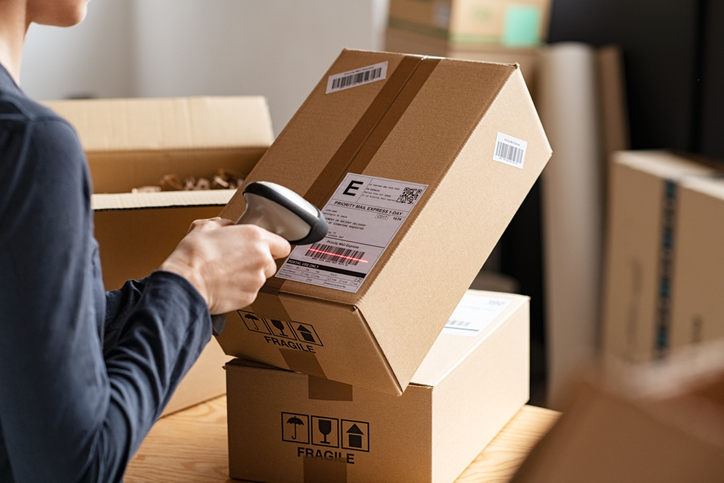
Right from the order screen, buy carrier rates and print your ShipStation labels—no switching over to ShipStation to finish shipping.
🔗
Tracking Synced Back
The moment a label is printed, tracking flows back to the originating marketplace and buyer automatically—keeping your shipping metrics healthy and customers informed.
🎯
Accurate Inventory
Listing Mirror keeps inventory in sync across every channel as orders ship, so counts stay accurate and overselling stops.
🗂️
One Platform, Every Channel
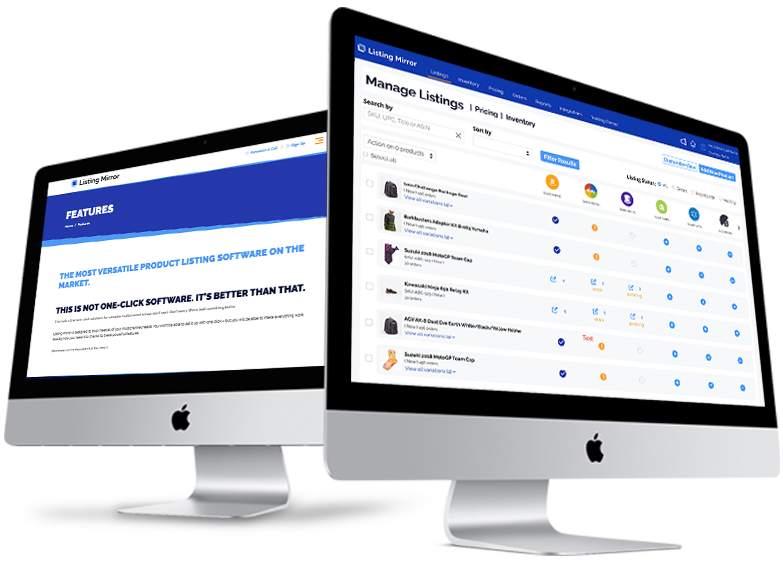
Manage listings, inventory, orders, and now shipping labels across all your sales channels in one place—no duplicate data entry and no jumping between apps.
📈
Reporting & Analytics
Track orders, shipments, and sales across every channel in a single dashboard—so you can make decisions without switching tabs.
Print ShipStation Labels Directly in Listing Mirror
No more switching over to ShipStation to finish an order. Buy carrier rates and print your ShipStation labels right from the Listing Mirror order screen—the same screen where you manage listings, inventory, and orders across every channel. One platform. Fewer tabs.
🗂️
Fewer Tabs
Listings, inventory, orders, and shipping labels all live on one screen—no bouncing between Listing Mirror and ShipStation to get orders out the door.
💲
Same Discounted Rates
You still get ShipStation’s discounted USPS, UPS, FedEx, and DHL rates. Nothing about your shipping pricing changes—only where you print.
🔗
Same Auto-Tracking
Tracking still syncs back to the marketplace and buyer automatically the moment a label is printed—exactly as it always has.
✅
Fewer Shipping Errors
Working from a single order screen means fewer copy-paste mistakes and less risk of shipping the wrong order to the wrong buyer.
Is the ShipStation Integration Right for You?
This integration is built for sellers who ship with ShipStation and sell across multiple channels. You are a strong fit if you match most of the following.
🚚
You Ship with ShipStation
You use ShipStation to create labels and manage carriers.
🛒
You Sell on Multiple Channels
You fulfill orders from Amazon, Walmart, eBay, Shopify, Wayfair, Target Plus, or more.
🎯
You Want Tracking Automated
Manual tracking uploads are slowing you down or risking penalties.
📈
You Are Scaling
Order volume has outgrown manual imports and exports.
If that sounds like your operation, Listing Mirror connects ShipStation to every channel you sell on.
Listing Mirror brings orders from every connected marketplace onto one order screen, where you can buy carrier rates and print ShipStation labels without leaving Listing Mirror. Tracking then syncs back to each marketplace automatically—while inventory stays accurate across all your channels.
Can I print ShipStation labels inside Listing Mirror?
Yes. You can print ShipStation labels directly from the Listing Mirror order screen—the same place you manage listings, inventory, and orders. There’s no need to switch over to ShipStation to finish shipping.
Do I still get ShipStation's discounted rates?
Yes—your ShipStation discounted USPS, UPS, FedEx, and DHL rates are unchanged. The only difference is that you can now buy those rates and print labels from inside Listing Mirror.
Do I need a ShipStation account to use this integration?
Yes—you will need an active ShipStation account. Once it is connected, you can buy rates and print your ShipStation labels right inside Listing Mirror, and orders and tracking flow automatically between your channels and ShipStation.
Does tracking get sent back to the marketplaces automatically?
Yes. As soon as you print a ShipStation label from the Listing Mirror order screen, the tracking number is pushed back to the originating marketplace automatically—helping you meet shipping SLAs and keep buyers informed.
How long does onboarding take?
Most sellers are fully set up within a few days. Our US-based support team walks you through connecting ShipStation, mapping your channels, and configuring order and inventory rules.
Can I use ShipStation with Wayfair?
Yes. ShipStation doesn’t offer a native Wayfair connection, but Listing Mirror does. Connect Wayfair and ShipStation to Listing Mirror and your Wayfair orders, including Perigold, AllModern, Joss & Main, and Birch Lane, flow into ShipStation automatically. Tracking goes back to Wayfair as soon as the label prints.
Can I use ShipStation with Target Plus?
Yes. Listing Mirror’s Target Plus integration is in early access. Approved Target Plus partners can send Target orders to ShipStation through Listing Mirror, with tracking returned to Target automatically. ShipStation doesn’t connect to Target on its own. Schedule a call to request early access.
Don't just take our word for it. See what our partners have to say.
Our clients not only have great things to say about our service, but have the results to back it up. We work closely with our partnered brands, such as Amazon, to ensure our clients are truly reaping the benefits that Listing Mirror promises.
Debeaut generates $20,653 in incremental cross-channel revenue in 90 days with Walmart MCS and Listing Mirror Read full case study
JMFA reduces European order fulfillment costs by 80% and improves delivery speeds by 46% with MCF Read full case study
HR Merchandise increases multi-channel revenue by 184% in 90 days with the help of Listing Mirror’s automation tool Read full case study
Prime Line Packaging expands into 4 marketplaces with 843% sales growth with help from MCF and Listing Mirror Read full case study