QuickBooks Inventory Sync – Make QuickBooks Your Source of Truth
Intuit QuickBooks Online Integration · Inventory Sync to Every Channel
Keep Inventory in QuickBooks. Sell It Everywhere.
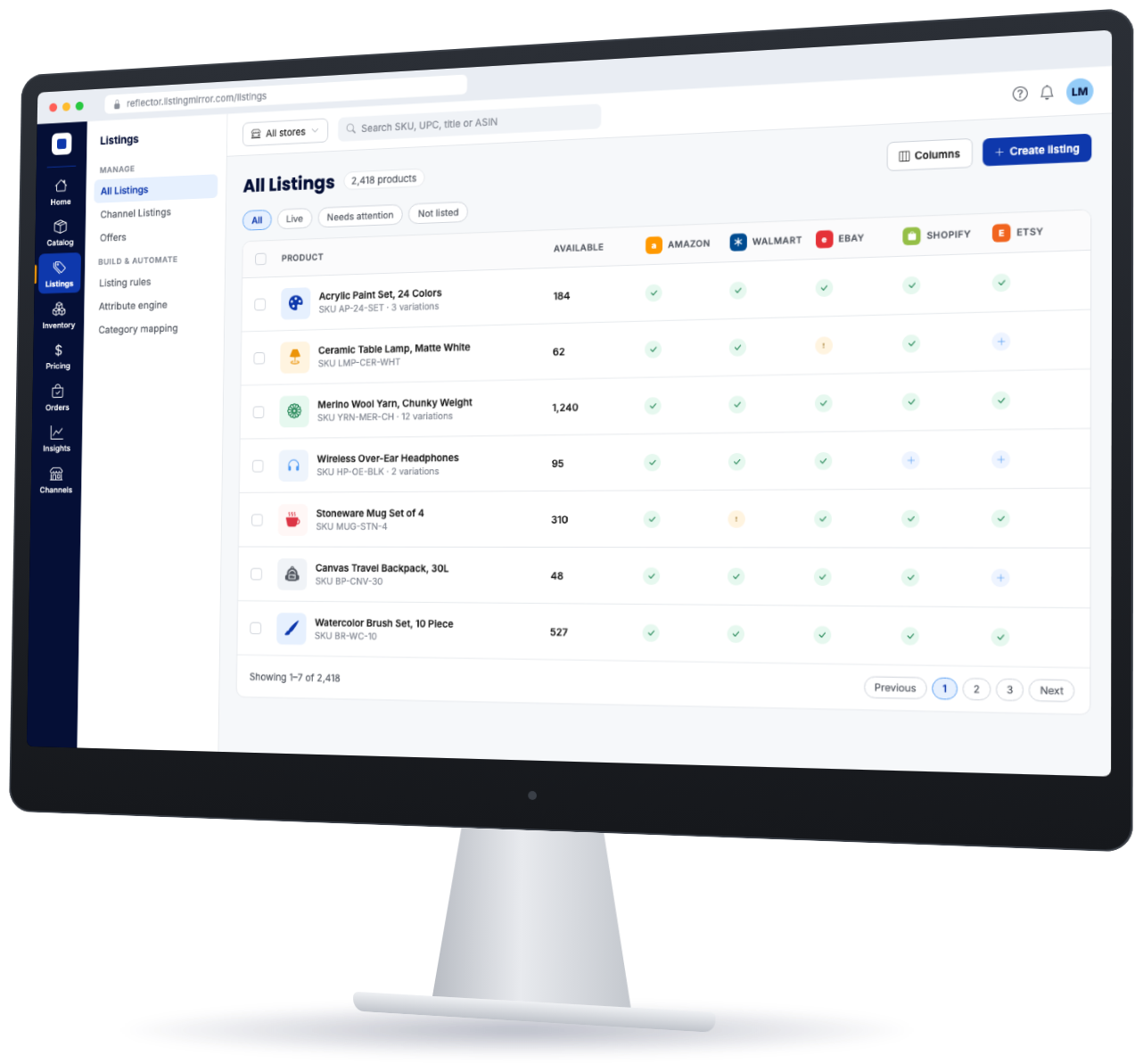
Your stock counts already live in QuickBooks Online. Connect it to Listing Mirror and QuickBooks becomes the source of truth for inventory: quantity on hand flows into Listing Mirror on a schedule and out to Amazon, Walmart, eBay, Shopify, and every other channel you sell on. Turn on order write-back and each marketplace sale is recorded in QuickBooks as a sales receipt, so your books and your stock stay in step.
QuickBooks says one number, the marketplaces show another. Every gap between them is either a lost sale or an oversell waiting to happen.
⌨️
Stock Updated by Hand
Receiving a shipment means adjusting QuickBooks, then logging in to each channel to bump quantities. Miss one and it sits at zero for a week.
🛒
Sales Never Reach the Books
Amazon and Walmart orders drain your shelves, but QuickBooks does not know until someone keys them in, so quantity on hand drifts further every day.
⚠️
Overselling Between Updates
When quantities only change when someone remembers, a fast-moving SKU sells units you no longer have, and the cancellations hurt your seller metrics.
📊
No Trusted Number
Ask your team how many units you have and you get three answers. Purchasing decisions end up based on whichever spreadsheet is newest.
📈
More Channels, More Drift
Every channel you add is one more place to keep in sync manually. The bookkeeping gets harder exactly when the business is growing.
How QuickBooks Inventory Sync Works
1️⃣
Connect QuickBooks Online
Sign in with Intuit from Listing Mirror and pick your company. Listing Mirror creates a QuickBooks warehouse and runs the first inventory read right away.
2️⃣
Match Items by SKU
Each QuickBooks inventory item with quantity tracking turned on is matched to your Listing Mirror catalog by the SKU field. No spreadsheets to upload.
3️⃣
QuickBooks Sets the Quantity
On every sync, Listing Mirror sets each SKU to its QuickBooks quantity on hand, up or down. Receive stock in QuickBooks and it shows up on your channels.
4️⃣
Every Channel Updates
Those quantities flow to Amazon, Walmart, eBay, Shopify, TikTok Shop, and every other connected channel through the inventory rules you already use.
🧾
Sales Post Back as Receipts
With order write-back on, marketplace orders filled from your QuickBooks stock are recorded in QuickBooks as sales receipts, which lowers quantity on hand there too.
🛡️
No Overselling in Between
Units sold in Listing Mirror but not yet posted to QuickBooks are held back from the next sync, so a sale never gets counted back into available stock.
Is the QuickBooks Integration Right for You?
This integration is built for sellers who manage inventory in QuickBooks Online and want every sales channel to follow it. You are a strong fit if you match most of the following.
🧮
You Run QuickBooks Online
You track inventory in Intuit QuickBooks Online with quantity on hand turned on for the products you sell.
🏷️
Your Items Have SKUs
Your QuickBooks inventory items carry SKUs, or you are willing to fill them in so they match your listings.
🛒
You Sell on Multiple Channels
The same stock sells on Amazon, Walmart, eBay, Shopify, or other marketplaces and webstores.
🎯
You Want One Number
You want QuickBooks to be the place where inventory is right, and every channel to follow it automatically.
If that sounds like your operation, Listing Mirror keeps every channel in sync with QuickBooks, automatically.
It makes QuickBooks Online the source of truth for your inventory. Listing Mirror reads quantity on hand from QuickBooks on a schedule and pushes it to every connected channel: Amazon, Walmart, eBay, Shopify, and more. You can also have Listing Mirror write marketplace sales back to QuickBooks as sales receipts, so QuickBooks stock drops as you sell.
Which QuickBooks items does Listing Mirror sync?
Active items of the Inventory type that have quantity on hand tracking turned on and a value in the SKU field. Each one is matched to the Listing Mirror product with the same SKU. Non-inventory and service items are skipped, and if two QuickBooks items share a SKU, Listing Mirror leaves that SKU alone rather than guess which one is right.
How often does inventory sync?
Hourly by default, and you can change the frequency in the integration settings. Each sync sets quantities to the QuickBooks value, up or down, so a stock adjustment or a received shipment in QuickBooks reaches your channels on the next run.
Does Listing Mirror write anything back to QuickBooks?
Only if you turn on order write-back. When it is on, marketplace orders filled from your QuickBooks stock are recorded in QuickBooks as sales receipts, with the marketplace order number as the receipt number and the price each line sold for. Listing Mirror does not change your items, quantities, or customer records directly; QuickBooks adjusts quantity on hand from the receipts the way it normally does.
How does Listing Mirror avoid overselling between syncs?
Units that have sold in Listing Mirror but have not yet posted to QuickBooks as sales receipts are subtracted from the QuickBooks quantity on each sync. That keeps a recent sale from being counted back into available stock before QuickBooks catches up.
Is this a full accounting integration?
No. The integration is built around inventory: quantity on hand comes in from QuickBooks, and sales can go back as sales receipts. It does not post marketplace fees, payouts, or settlements, and it does not create customers or invoices in QuickBooks.
Does it work with QuickBooks Desktop?
No. The integration connects to Intuit QuickBooks Online through your Intuit sign-in. QuickBooks Desktop and Enterprise are not supported.
How long does onboarding take?
Connecting QuickBooks takes a few minutes. Most of the setup is making sure your QuickBooks items have SKUs that match your listings, and our US-based support team walks you through that and the inventory rules that send QuickBooks quantities to each channel.
Don't just take our word for it. See what our partners have to say.
Our clients not only have great things to say about our service, but have the results to back it up. We work closely with our partnered brands, such as Amazon, to ensure our clients are truly reaping the benefits that Listing Mirror promises.
Debeaut generates $20,653 in incremental cross-channel revenue in 90 days with Walmart MCS and Listing Mirror Read full case study
JMFA reduces European order fulfillment costs by 80% and improves delivery speeds by 46% with MCF Read full case study
HR Merchandise increases multi-channel revenue by 184% in 90 days with the help of Listing Mirror’s automation tool Read full case study
Prime Line Packaging expands into 4 marketplaces with 843% sales growth with help from MCF and Listing Mirror Read full case study