Send Amazon, Walmart & eBay Orders to Shopify

Shopify Order Sync · Multichannel Order Management

Shopify

Fulfill Every Marketplace Order From Shopify

Already run fulfillment out of Shopify? Listing Mirror sends your Amazon, Walmart, eBay, and other marketplace orders into your Shopify store, so they’re picked, packed, and shipped through the same workflow, apps, and 3PL as your Shopify orders. Fulfill in Shopify and the tracking goes back to the marketplace automatically.

Why Marketplace Orders Break a Shopify Workflow

📥

Orders in Too Many Dashboards

Amazon, Walmart, and eBay orders each land in their own seller portal, separate from the Shopify admin your team already works in.

⌨️

Retyping Orders by Hand

Copying marketplace orders into Shopify so your warehouse sees them is slow, and one typo ships a package to the wrong address.

🚚

Your 3PL Only Sees Shopify

Many shipping apps and 3PLs plug straight into Shopify. Marketplace orders that never reach Shopify never reach them either.

📦

Tracking Stuck in Shopify

When an order ships from Shopify, its tracking number still has to reach the marketplace on time, or your seller metrics take the hit.

🧾

Missing Order Details

Taxes, shipping charges, and discounts need to match what the marketplace collected, or your books won’t reconcile.

🔍

No Way to Tell Orders Apart

Without the source marketplace and its order number on each order, customer service and returns turn into detective work.

How Listing Mirror Sends Your Orders to Shopify

✅

Marketplace Orders, Created in Shopify

Turn on “Send orders to Shopify” and new orders from your connected marketplaces are created in your store automatically, checked every few minutes.

🎛️

You Choose the Channels

Pick which marketplaces send their orders to Shopify, and route them to your default Shopify location.

🧾

Complete, Paid Orders

Orders arrive marked paid, with line items matched to your Shopify products, the buyer’s shipping address, taxes, shipping, and discounts.

🏷️

The Source on Every Order

Each order shows its marketplace and marketplace order number. Name orders with the Listing Mirror ID, Shopify’s own numbering, or the marketplace order number.

📦

Tracking Back to the Marketplace

Fulfill in Shopify yourself, through a shipping app, or with a 3PL. Listing Mirror picks up the tracking and sends it back to the marketplace.

🛡️

No Duplicate Orders

Each marketplace order is created in Shopify once. Need it again? Resend any order to Shopify from its order page.

Is Shopify Order Sync Right for You?

It’s built for sellers who already run fulfillment out of Shopify and sell on marketplaces too. You’re a strong fit if most of these describe you.

🛒

You Sell Beyond Shopify

You sell on Amazon, Walmart, eBay, or other marketplaces alongside your Shopify store.

🏭

Fulfillment Runs Through Shopify

Your team, a shipping app, or a 3PL picks and ships from Shopify orders.

🔁

Shopify Is Your Hub

You want one admin where every order lives, whatever channel it came from.

📈

Order Volume Is Growing

You get enough marketplace orders that keying them in by hand no longer works.

If that sounds like your business, Listing Mirror puts every marketplace order in Shopify and sends tracking back automatically.

Shopify Order Sync FAQ

How do I start sending marketplace orders to Shopify?

Connect your Shopify store and your marketplaces to Listing Mirror. Then check “Send orders to Shopify” in your Shopify integration settings and choose a default Shopify location. New orders start arriving within minutes.

Which orders are sent to Shopify?

Paid orders from the marketplaces you choose, placed in the last 14 days and not yet fulfilled. Orders that came from your Shopify store aren’t sent back to it, and any order can be resent from its order page.

Does sending an order to Shopify change my Shopify inventory?

Listing Mirror already keeps inventory in sync across every channel, so marketplace orders don’t double-count stock in Shopify. If Shopify is your inventory source, orders deduct from Shopify inventory instead.

How does tracking get back to Amazon, Walmart, or eBay?

Fulfill the order in Shopify with a tracking number, whether you ship it yourself, through an app, or with a 3PL. Listing Mirror picks up the tracking and sends it to the marketplace the order came from.

Can I bring Amazon FBA or Walmart WFS orders into Shopify?

Yes. Map the FBA or WFS warehouse to a Shopify location, and those orders come into Shopify for your records without deducting inventory. They’re skipped until you do.

Don't just take our word for it. See what our partners have to say.

Our clients not only have great things to say about our service, but have the results to back it up. We work closely with our partnered brands, such as Amazon, to ensure our clients are truly reaping the benefits that Listing Mirror promises.

Walmart shipping box held by a fulfillment worker
Debeaut generates $20,653 in incremental cross-channel revenue in 90 days with Walmart MCS and Listing Mirror
Read full case study
JMFA reduces European order fulfillment costs by 80% and improves delivery speeds by 46% with MCF
Read full case study

HR Merchandise increases multi-channel revenue by 184% in 90 days with the help of Listing Mirror’s automation tool
Read full case study

Prime Line Packaging expands into 4 marketplaces with 843% sales growth with help from MCF and Listing Mirror
Read full case study

Explore Our Powerful Features

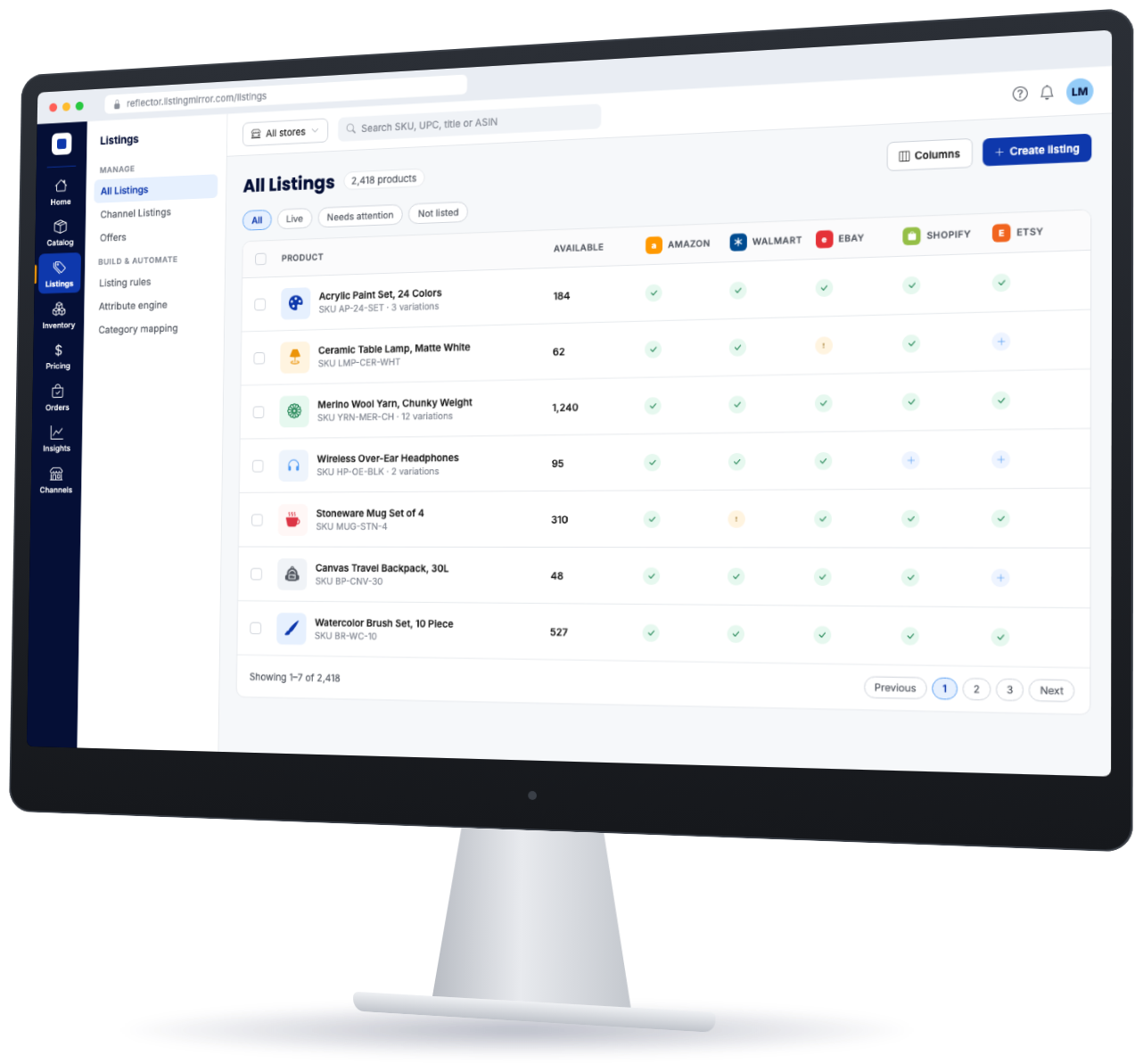
Listing Mirror All Listings screen showing products synced to Amazon, Walmart, eBay, Shopify and Etsy

Ready to see if Listing Mirror will fit your business?

We get it – before you add a tool to your workflow, you need to make sure it’ll work for your needs. We’re here to help.